Brave Shields redesign
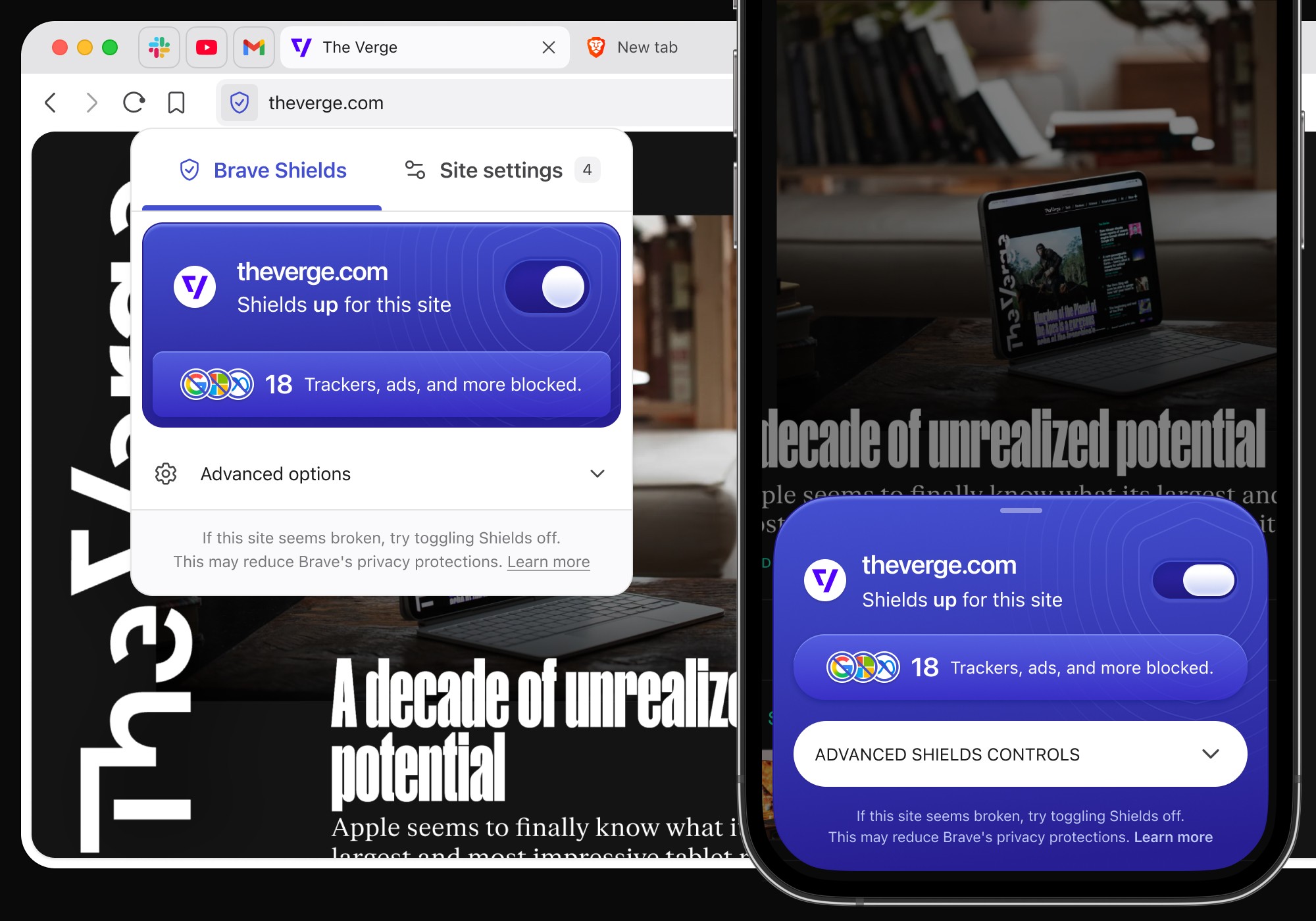
In an effort to modernize the browser's features, we've redesigned and completely rethought how Brave Shields (The browser's native ad and tracker blocker) works in all platforms. The goal is to bring it's design language and functionality to modern times and make it easier to understand and tinker with it.
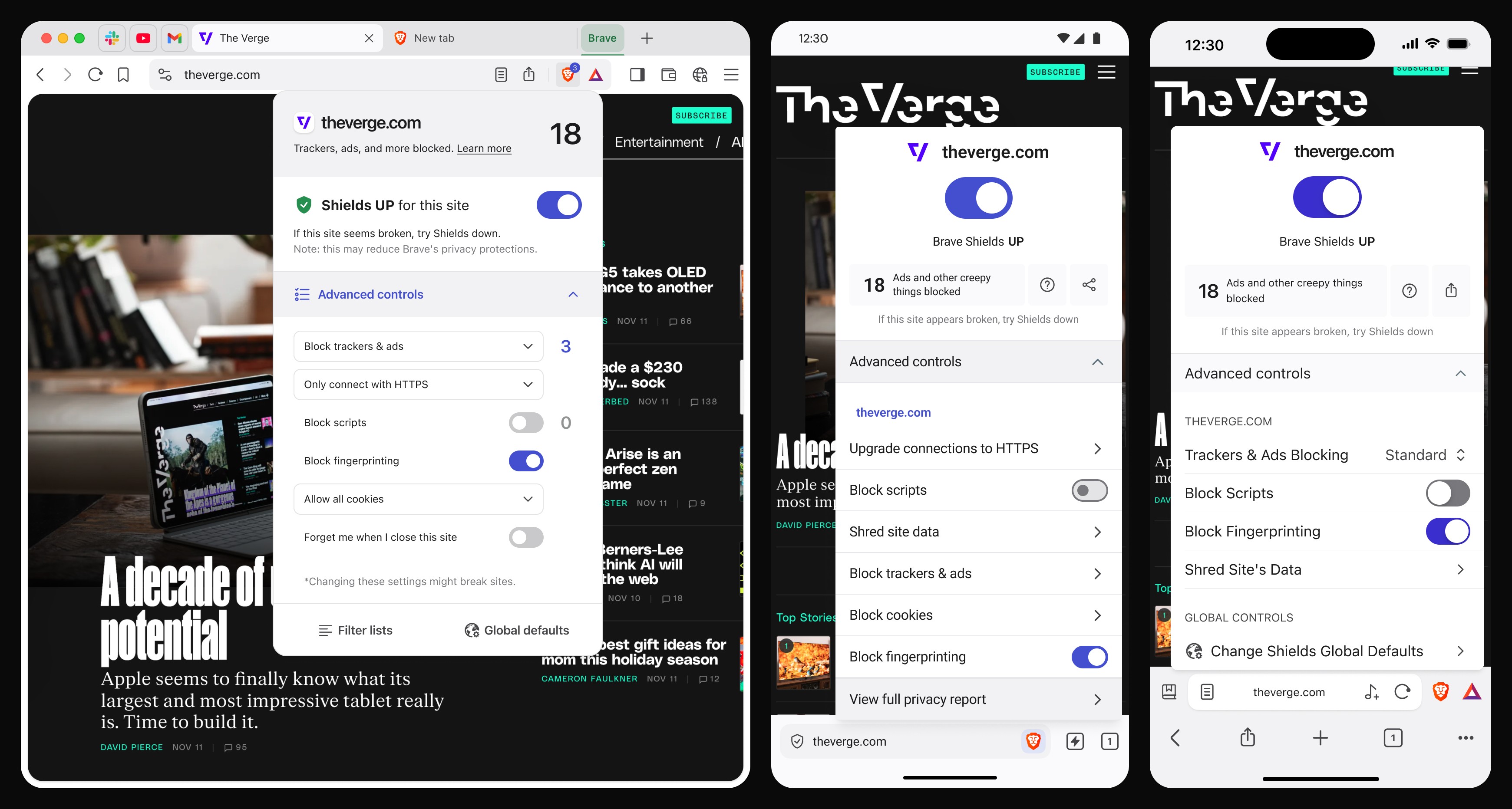
Brave Shields had been practically untouched since it's launch a number of years ago. This is arguably one of the most distinctive browser features that makes Brave unique from the competition.
It's icon was always the Brave logo, which was initially conceived as a way to tie together the brand and the main functionality. But we've since grown past that, adding more and more features that make it hard to justify to keep the lion logo as part of shields.
Additionally, the position makes it a little bit harder for new users to even recognize it as a feature they can click on. Elements within the panel are not immediately identifiable as clickable. Even in the small confined space of the advanced controls, there are different ways to click into an element to get a detailed view.
Constrains and objectives
As I mentioned, Shields has been largely untouched since it's original conception, and new features were added in a way that felt more like "patches" to the original design than thought out work. So for this redesign we had some basic objectives:
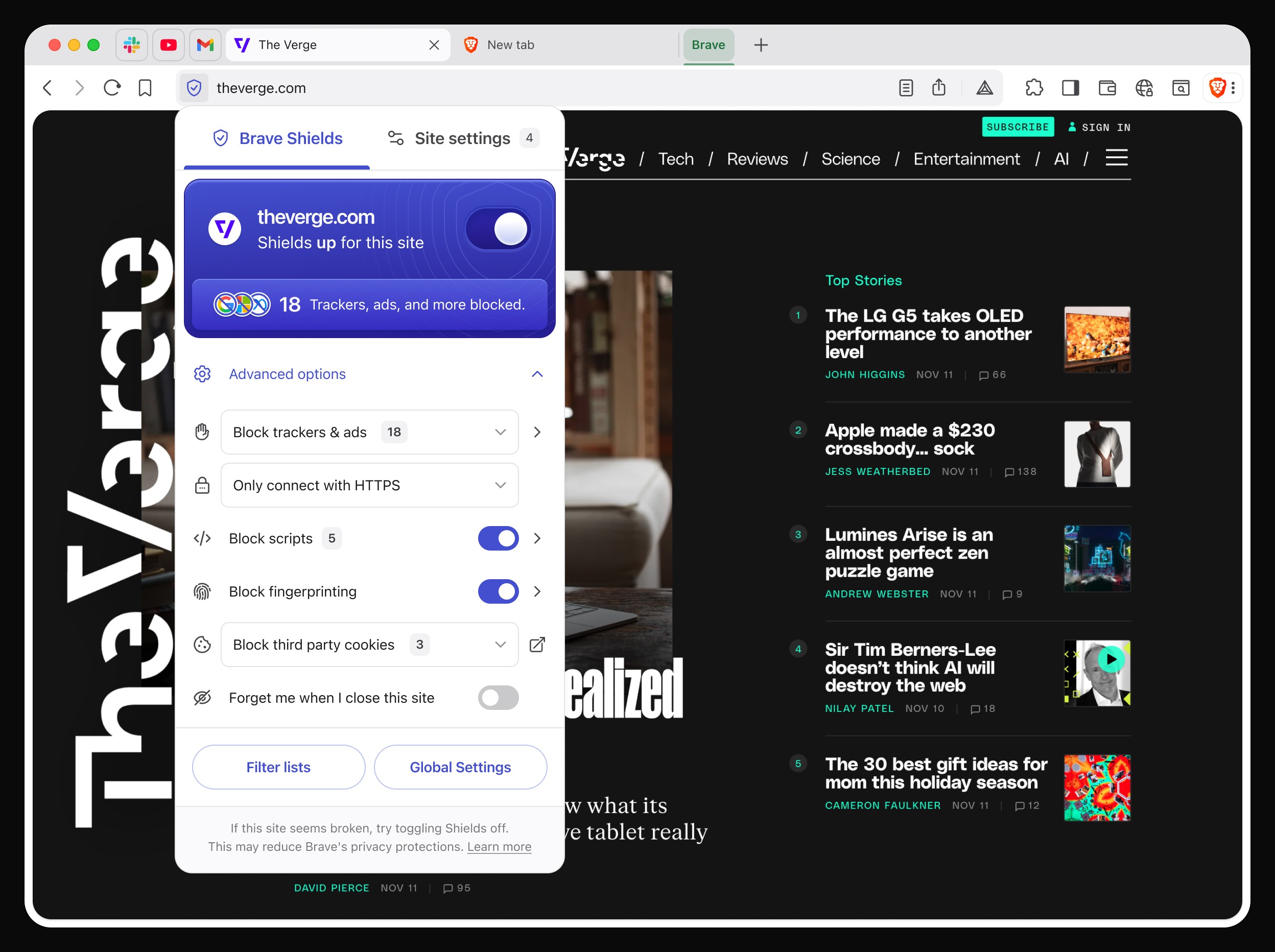
Moving the shields panel into the left edge of the URL bar, unifying it with a related feature called "Site settings".
Making the advanced controls more streamlined and easier to understand.
Unify the design language from all 3 platforms into a design that feels like "Shields" in all of them.
We also faced a couple of constrains and requests, like:
As a request from the product team, it was required to keep the lion in some way, so we decided to keep the lion as our menu button, where you can access all the features and settings. We were able to spin that idea off as "The logo is your starting point to everything you can do with the browser".
We were asked to keep the amount of front-end work to something small and manageable by just one person per team's work cycle.
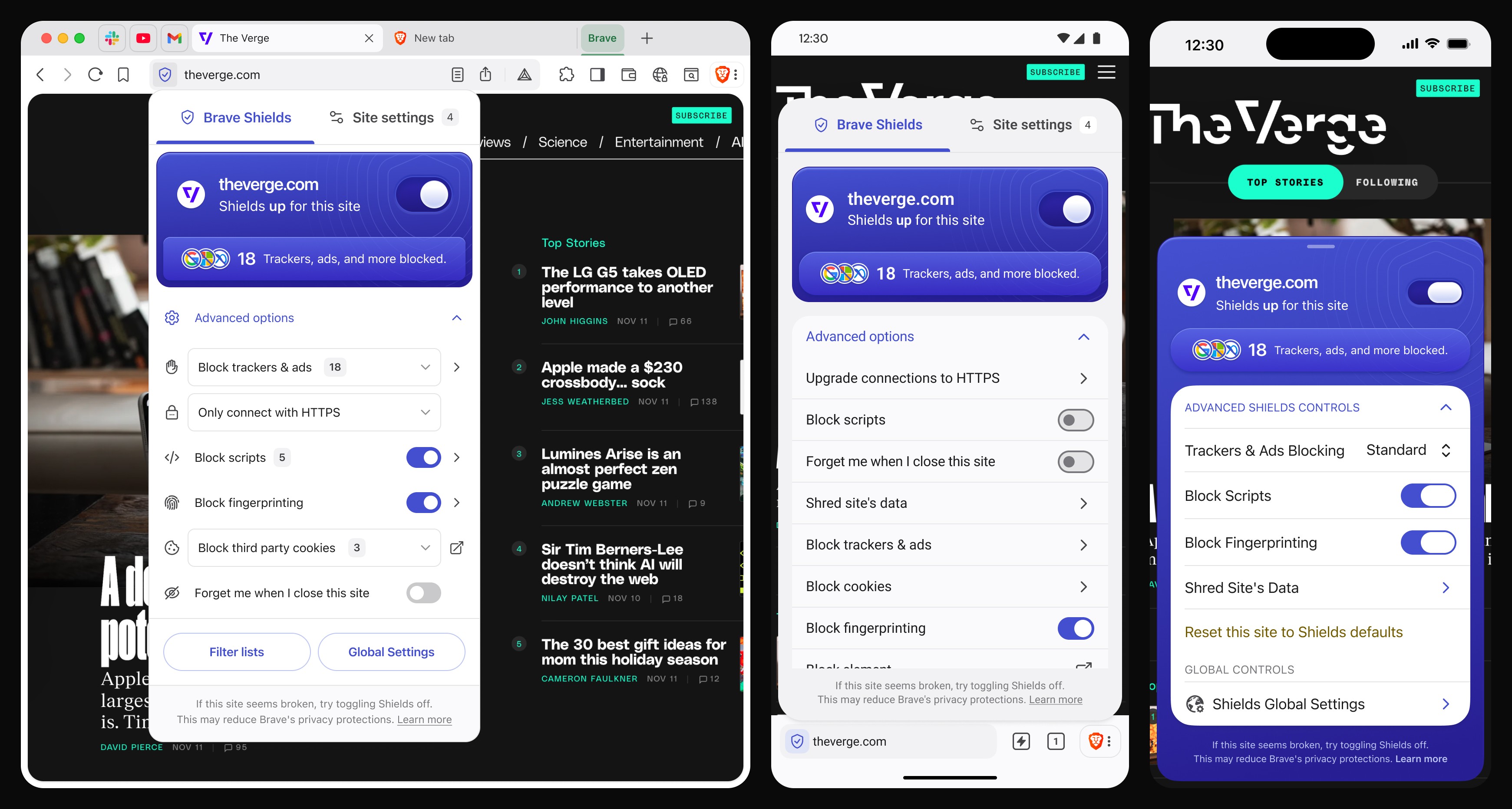
For the redesign, we utilized the same design language for all three platforms, where the primary interaction point of the panel is this blurple block that quickly indicates what Shields is doing for you. There you can see:
The domain Shields is acting on
The status of Shields (Up or Down)
The number of trackers and ads being blocked, as well as favicons for the top 3 top domain offenders (Google ads, Meta pixels, etc.)
Advanced options have also been revamped, trying to focus on ease of use, and quick identification of what each feature does:
An icon to add more quick identification of the feature
Each setting description and/or status
A small label indicating the amount of elements being blocked or affected by that setting at that moment
An icon indicator that shows that the item can be drilled down into. Mostly a carat arrow, but in a specific case a pop-up launcher.
There are subtle differences between the 3 platforms, like Android taking more advantage of material expressive components and visual language, as well as subtle implementations of liquid glass for iOS.
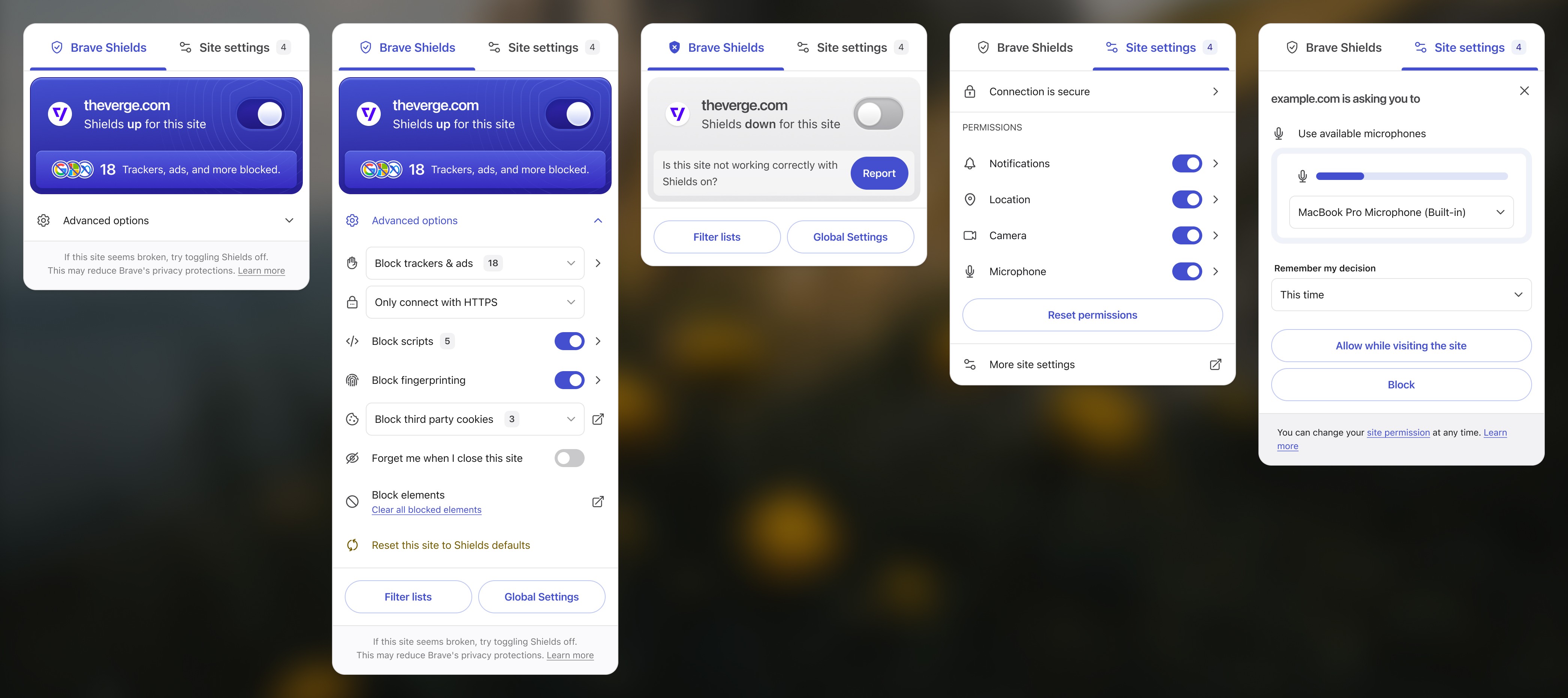
Lastly, in Desktop and Android, we inherit from Chromium a subset of "Site settings", which lived in the left side of the URL bar, the place where now Shields live. Site settings is a semi-related feature to shields, where you can manage all the permissions a site has requested for you, https certificates, etc.
It made sense for us to merge them into our revamped Shields panel, so we did that by creating top level tabs. This solution allows users to switch between one and the other, and sites can trigger a notification that opens the relevant tab within the panel automatically.
Another advantage of this, is that it allows us to take in Chromium changes for Site settings automatically, without us having to deal with unexpected breaking changes to support.